


How to Manage Back Pain from a Desk Job
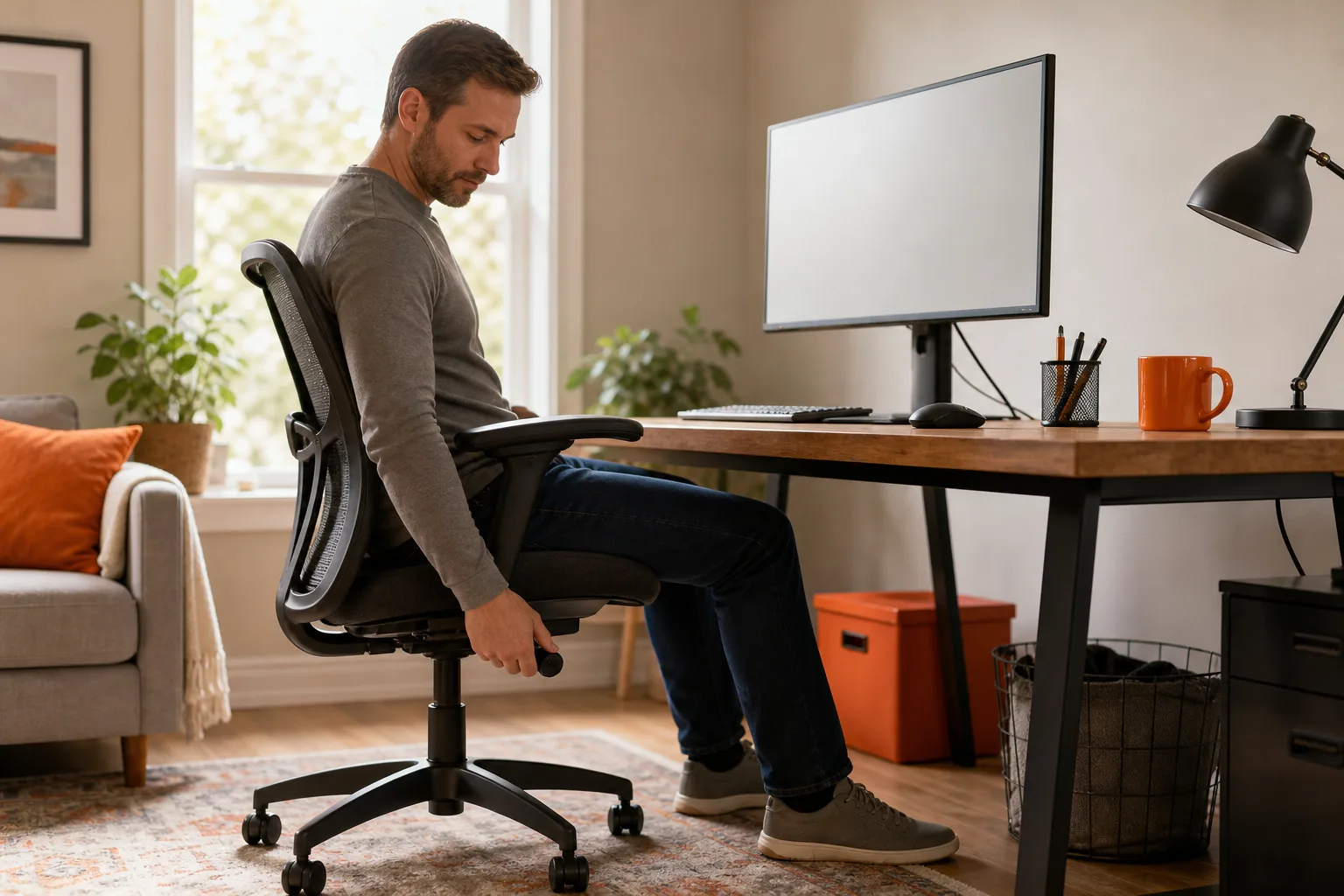
Long hours at a desk can leave your back stiff or sore, especially when you stay in one position. Back pain linked to desk work can have several causes, so start with small changes to your setup and routine rather than forcing a perfect posture.
We understand that everyone’s workday is different. Try these steps at a pace that feels manageable, and seek advice if your symptoms persist or change.
Table of Contents
Step 1: Check your desk setup and find a comfortable position
Your aim is to make your usual work position feel supported, not rigid. A single “correct” posture won’t suit every person, and holding any one position for hours can feel uncomfortable. Set up your chair and screen so you can work without reaching or leaning for long stretches.
Start with your chair. Sit back so the chair supports you, and place both feet on the floor or a stable footrest. Let your shoulders rest. Adjust the seat so your hips feel comfortable and your knees aren’t pressed against the desk. If your chair has lower-back support, move it to meet the natural curve of your back.
Place your screen in front of you, near eye level. Keep it close enough to read without leaning in. Bring your keyboard and mouse within easy reach, so your elbows can stay near your sides. If you use a laptop, a stable stand can raise the screen. A separate keyboard and mouse can then keep your hands in a comfortable spot.
Try one change at a time. If your back feels worse after moving the screen or chair, adjust again. Our guide to sitting with lower-back pain has more ideas for making a seated position feel manageable.
You don’t need to buy new gear before checking what you already have. A folded towel or small cushion behind the lower back may add support if it feels comfortable.
By now, you should have a setup that lets you sit without reaching forward or holding your body stiffly. Next, plan when you’ll change position.
Step 2: Build regular movement breaks into your workday
A comfortable chair can’t replace movement. If you spend long spells sitting, try breaking them up with brief changes in position. You might stand to read a message, walk to get water or take a short lap around the room between tasks.
Choose a reminder you’ll notice but won’t find distracting. Some people use a quiet timer; others link a movement break to a task, such as standing after a meeting. Being under pressure and not taking breaks can contribute to OOS injuries. The office work guidance can help you think about breaks as part of your work setup.
A reminder every 20 to 30 minutes is a possible prompt, not a medical rule. If that rhythm doesn’t fit your work, begin with a break between longer tasks. Even when you can’t leave your desk, you can change position, stand briefly or move your shoulders and ankles gently.
Notice what happens over the day. If discomfort tends to build during a long meeting, stand before the next one or take a short walk afterwards. If it appears during focused screen work, pause when you finish a task. These small cues are easier to keep than waiting until you feel very stiff.
Try this:Pair a brief movement break with a routine task, such as standing after you send a report. Keep the movement easy and return to work when you feel ready.
Some people notice more stiffness after a full week of desk work, then feel it during weekend activities. That pattern doesn’t prove that sitting is the only cause. It can be a useful clue to track: note when symptoms start, what you were doing and whether a change of position affects them.
By now, you should have a repeatable cue to interrupt long sitting spells. The next step is to try gentle movements, without treating a stretch as a test you have to pass.
Step 3: Try gentle movements that feel comfortable
Movement should stay within a range that feels controlled. It doesn’t need to be a deep stretch. Start with one easy option and see how your body responds during the movement and afterwards.
For a seated spine turn, sit with both feet supported. Turn your chest a little to one side while keeping your hips facing forward, then return to centre. Repeat on the other side if it feels comfortable. Keep the turn small. Don’t pull on the chair or push into a sharp feeling.
You can also stand and gently draw your shoulder blades back, then relax them. Or walk for a minute or two if you’re able. The point is to change the position you’ve been holding, not to work through pain. For general information about lower-back pain, see this health information sheet .
Our desk stretch guide describes more gentle movement options and ways to adjust them. If a movement causes sharp pain, dizziness or symptoms that spread into an arm or leg, stop. Ask a health professional for advice before trying it again, especially if you have a recent injury or a condition that affects movement.

A short movement break can be enough to reset your position. You don’t have to do every stretch you see online, and more force doesn’t mean a better result. Pick a movement that feels easy to repeat, then stop if it increases your symptoms.
By now, you should know one or two movements you can try comfortably. If symptoms keep returning, a clinician can help you decide whether those movements suit your situation.
Step 4: Vary your work position during the day
Try not to make sitting or standing your only work position. If you have access to a sit-stand desk, alternate between sitting and standing for parts of the day. Change gradually and use a position that lets you work without leaning or locking your knees.
A standing desk isn’t a treatment for every cause of back pain. It’s one way to vary a long work period. If you don’t have one, stand for a short task or take a brief walk when your work allows. A standing desk won’t help if you stand still for hours and never change position.
When you stand, keep your screen in front of you and your keyboard close enough that you don’t reach. If you find yourself leaning toward the screen, adjust its position or return to sitting. Comfort and ease of movement matter more than holding a strict pose.
Think about the workday as a series of position changes. You might sit for a focused task, stand while reading, then walk during a break. If a standing position makes symptoms worse, switch back and consider getting individual advice before trying it again.
The video below shows a movement break you can consider as part of a varied workday. Keep the range comfortable, and stop if a movement increases pain.
Track the positions that feel more or less comfortable, rather than trying to monitor every detail of your posture. If work demands keep you seated for long periods, discuss what changes are possible with your manager or workplace contact.
By now, you should have a few ways to change position during the day. If discomfort continues despite these adjustments, move on to an individual assessment rather than adding more stretches at random.
Step 5: Get individual advice and know when to see a doctor
Desk-related discomfort can have more than one cause. A health professional can ask how it began, what makes it better or worse, and whether you have other symptoms. That conversation helps guide what to do next. Don’t assume that every sore back comes from posture or a disc problem.
See a GP or doctor if the pain is persistent, getting worse, affecting sleep or limiting your usual activities. Seek urgent medical care for new loss of bladder or bowel control, numbness around the groin or saddle area, or new or worsening weakness in a leg. Severe or sudden symptoms need prompt medical attention.
For information on symptoms, assessment and care options, read this back pain advice .
Unleashed Health Chiropractic is an Ascot Vale clinic that provides chiropractic care and rehabilitation. Its initial appointment includes a medical history and physical, neurological, orthopaedic and chiropractic examinations, plus a postural assessment.
We take the time to understand how your symptoms affect your work and daily life. If you’re considering chiropractic care, ask what an assessment involves and whether the suggested approach fits your needs. Unleashed Health Chiropractic offers a range of services, including low-back pain management and rehabilitation exercises. Care and results vary between people, so discuss expected benefits and any risks before proceeding.
By now, you should know when self-care is reasonable and when to seek help. If your symptoms are concerning, start with a doctor or urgent medical service rather than trying to manage them through desk changes alone.
FAQ
Can sitting at a desk cause back pain?
Long periods in one position can contribute to back discomfort, but sitting isn’t the only possible cause. Your symptoms may relate to several factors, so don’t assume that posture explains everything. Try adjusting your setup and changing positions during the day. If the pain persists or affects normal activities, ask a GP or health professional for advice.
How often should I take a movement break?
There isn’t one break schedule that suits everyone. A reminder every 20 to 30 minutes can be a useful prompt, but you can choose a rhythm that fits your work. Stand, walk briefly or change your position between tasks. If symptoms increase, stop the movement and seek individual advice.
Should I use a standing desk for back pain?
A standing desk may help you vary your work position, but it isn’t right for every person or every task. Alternate between sitting and standing rather than staying in either position for hours. Keep your screen and keyboard within comfortable reach. If standing makes your symptoms worse, return to a comfortable position and ask a health professional for guidance.
When should I see a doctor about back pain?
See a doctor if your back pain persists, worsens or limits daily activities. Seek urgent care for new bladder or bowel control problems, numbness around the groin or saddle area, or new or worsening leg weakness. A doctor can assess your symptoms and decide whether tests or other care are appropriate.
Conclusion
Start by making your desk comfortable, then add regular position changes and gentle movement that doesn’t worsen your symptoms. If pain keeps returning or affects your day, arrange an assessment with a GP or an appropriate health professional. We’d be glad to discuss whether an assessment at Unleashed Health Chiropractic may suit your needs.


Comments