


Office Chair Posture: A Practical Guide to Sitting Well
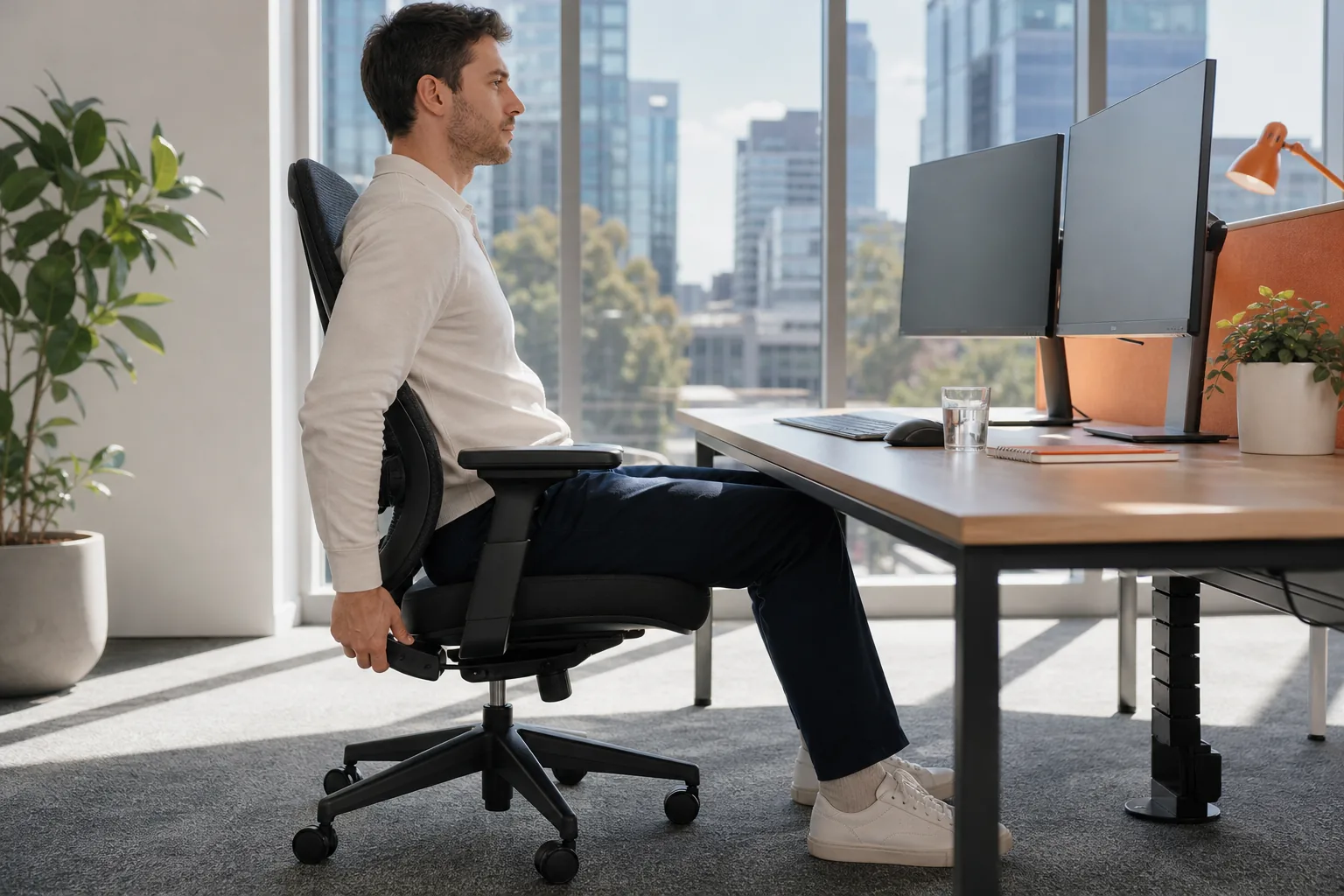
Office chair posture can affect how you feel at your desk, but no single position suits everyone. A well-adjusted chair helps support a balanced position, while regular movement means you’re not stuck in one pose all day.
Table of Contents
What a balanced seated posture involves
Think of good sitting as a position you can change, not a pose you must hold. Your chair should support your back while letting you move for the task in front of you.
Start with your feet resting on the floor or a footrest. Let your knees bend comfortably, with room between the back of your knees and the seat edge. Keep your shoulders loose. Your elbows should rest near your sides when you type, rather than reaching up or stretching forward.
Let the backrest support your lower back. You don’t need to force your spine into a stiff, upright line. Aim for a comfortable position that follows your natural shape and lets you shift when you need to.
Seat depth matters too. If the seat presses behind your knees, or leaves your back unsupported, the chair may not fit your body well. A chair’s label doesn’t tell you whether its size and features suit your desk or the work you do. These sitting tips for lower back pain also cover how to adjust your position when discomfort affects desk work.
At Unleashed Health Chiropractic in Ascot Vale, an initial appointment includes a postural assessment. If you’re unsure how your setup fits your body, an individual assessment can help clarify what to consider.
How chair settings affect your alignment
Small adjustments can change where your body meets the chair. Take them one at a time, then sit at your desk and check whether the setup still feels comfortable for your usual tasks.
Set the seat height and depth
Use the height lever so your feet rest flat on the floor. If they don’t reach, use a footrest rather than letting your legs hang. This also helps you avoid sliding forward to find support.
A chair with casters and a five-point base can ease movement and reduce tipping.
Adjust the backrest and armrests
Move the lumbar support so it meets the curve of your lower back. If the support can move up or down, test its position while sitting back in the chair. Then set the backrest angle to a position that feels supported without making you lean forward to reach your desk.
Armrests should let your shoulders stay relaxed. Adjust their height so your forearms can rest without your shoulders lifting. If the armrests push your arms outward, they may not suit your body or workspace.
A chair with tilt control can let you shift between a more upright position and a slight recline. The aim isn’t to find one perfect angle. It’s to have room to change your position as your task changes.
Chair fit depends on your body and workstation. If you can’t get comfortable after adjusting the seat and backrest, check whether the desk height or chair size is part of the mismatch.
Why movement matters alongside chair posture
Even a well-fitted chair can’t make sitting still for hours feel comfortable for everyone. A simple habit helps: shift your position, stand for a moment or walk between tasks when you can.
Try linking movement to a regular work cue. Stand after a meeting, walk to collect a printout or change position when you finish a task. You can also set a reminder to check whether you’ve been holding the same posture for a long stretch. Keep the movement easy and within your comfort level.
Changing body position throughout the day can help prevent static posture fatigue and promote movement. For more information, read the research on active breaks and posture shifts .
For a simple starting point, stand up and walk a short distance, or gently move your shoulders and arms. Stop if a movement causes pain, and don’t force a stretch. If you have an injury or health condition, ask a health professional whether a new movement routine suits you.
If you want more movement ideas for desk work, gentle posture correction exercises for the neck, shoulders and back offer simple options.
Posture, discomfort and when to seek advice
Neck or lower-back discomfort during desk work can have more than one cause. Chair fit, how long you sit and the demands of your tasks may all be relevant, but posture alone can’t explain every symptom.
A chair adjustment may be worth trying, but it can’t promise relief or explain the source of ongoing pain.
Notice what happens during your workday. Does discomfort build after long periods in one position? Does changing your seat height or taking a short walk alter how you feel? These observations can help you describe the issue to a health professional. They aren’t a diagnosis.
At Unleashed Health Chiropractic, an initial appointment includes a medical history and physical, neurological, orthopaedic and chiropractic examinations. The chiropractor establishes a diagnosis before tailoring a plan to a person’s needs and health goals. An assessment can help you discuss whether care is appropriate for your situation.
Speak with a GP or another appropriate health professional if discomfort persists, worsens or affects daily tasks. Seek prompt medical advice for new weakness, numbness that is getting worse, or other sudden and severe symptoms. For a sudden emergency, contact emergency services.

Frequently asked questions
What is good office chair posture?
Good office chair posture is a comfortable, supported position that you can change throughout the day. Keep your feet supported, let the backrest meet your lower back and allow your shoulders to relax. Adjust the seat so it doesn’t press behind your knees. There’s no need to hold one rigid pose from morning to evening.
How high should my office chair be?
Set the chair so your feet rest flat on the floor, or on a footrest if needed. Your legs shouldn’t hang unsupported. Then check the seat depth and backrest, since seat height alone doesn’t determine whether the chair fits your body and desk.
Should I sit upright all day?
No. A supported position can help while you work, but it’s sensible to change your posture rather than hold the same position for hours. Stand or walk briefly between tasks when possible. If movement causes pain, stop and seek advice suited to your health needs.
When should I get help for pain from sitting?
Speak with a GP or another health professional if discomfort persists, worsens or gets in the way of daily activities. Seek prompt medical advice for new or worsening weakness or numbness. Sudden, severe symptoms may need urgent attention. A chair assessment can help review your setup, but it can’t diagnose every cause of pain.
Conclusion
Set your chair so your feet are supported and your back can rest against the backrest, then build in regular position changes. If discomfort continues, consider discussing it with a health professional. Unleashed Health Chiropractic in Ascot Vale can assess your individual needs and help you consider suitable next steps.


Comments